Every campus has its own personality.
The same question can feel very different depending on where it is asked. What students care about at one university may not match what students are talking about at another. Dig is built around that simple idea: student opinion is more meaningful when it has campus context.
Dig is a mobile app for university communities. It lets students vote on polls, create posts, join discussions, and compare what their own school thinks against the broader student population.
Dig is designed to answer questions like:
Students sign up with a university email address. Dig uses that email domain to connect them to their school. Once inside, they see a feed of polls, posts, and conversations shaped by both global and campus-specific activity.
That makes Dig more than a generic feed. It is a way to understand the mood of a campus.
At the center of Dig is a swipeable card feed.
Students can move through polls and posts, vote yes or no, like content, and open discussions to comment. Polls are especially important because they can show two views at once:
So a question like “Should attendance be mandatory?” becomes more interesting. Dig can show what students think overall, and how one campus compares.
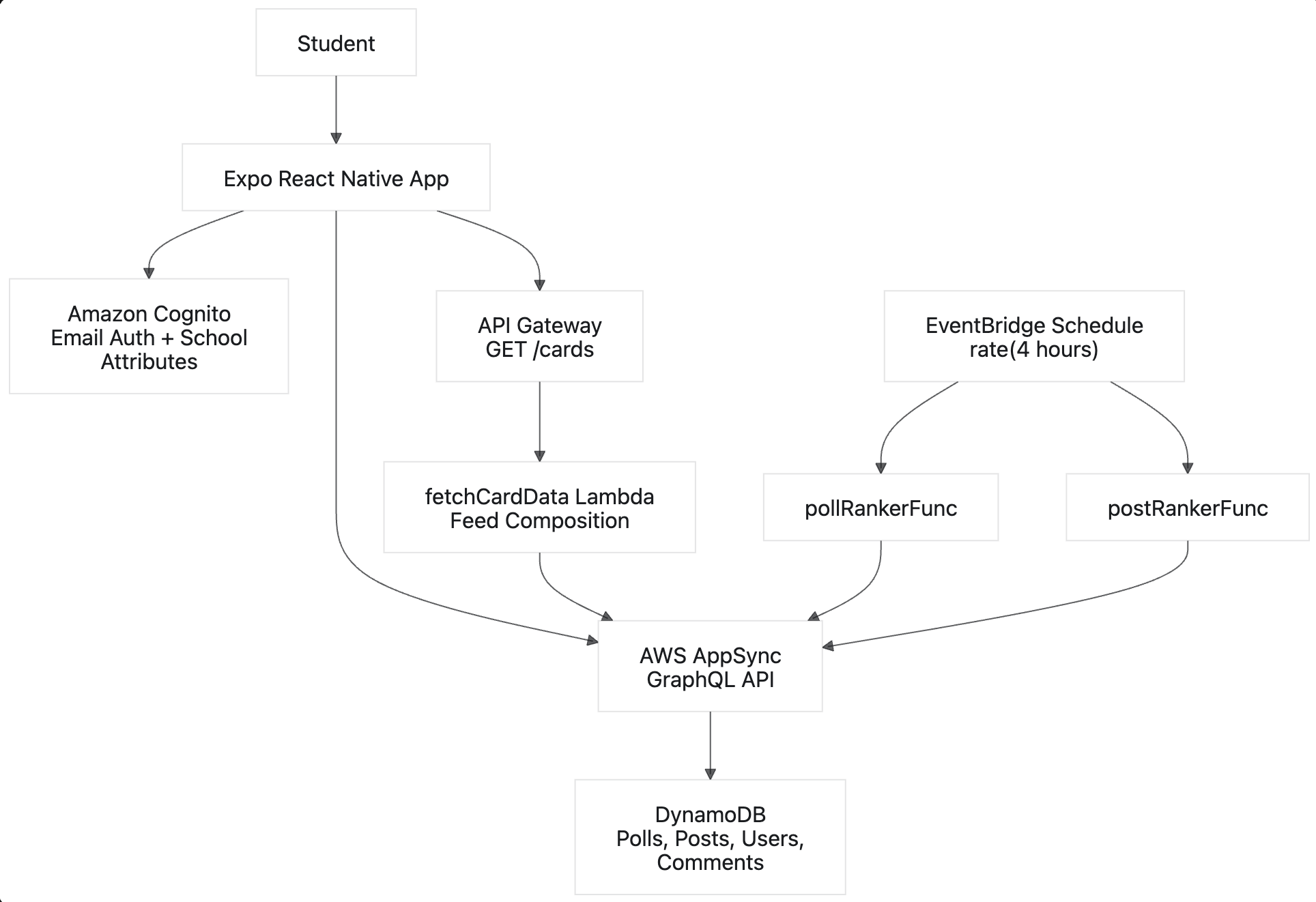
Dig is built as a React Native mobile app backed by AWS services.
The app uses:
The technical design follows the product idea: content is organized by scope.
Some content is global. Some content belongs to a specific school. That distinction allows Dig to compare campus sentiment against the overall student community without making the experience complicated for users.
Dig’s data model is organized around a simple idea: the same piece of content can have both a broad community view and a campus-specific view.
Polls use a shared poll identity plus a scope. The shared identity represents the question itself, while the scope says where the results belong: overall, or a specific school. That means Dig can ask one question and still keep separate result sets for the wider community and each campus.
In the GraphQL model, that idea shows up in the poll keys:
pollType: String!
  @primaryKey(sortKeyFields: ["pollGroupId"])
  @index(sortKeyFields: ["score"])
  @index(sortKeyFields: ["tag"])
pollGroupId: String! @index
pollType is the scope. It can represent the overall feed or a school-specific feed. pollGroupId is the shared identity for the poll question. Together, they let Dig store multiple versions of the same poll: one for the overall community, and one for each school that needs its own results.
The indexes also support the feed experience. Sorting by score helps Dig fetch ranked polls efficiently, while sorting by tag makes topic-based filtering possible without scanning every poll.
Posts follow a similar pattern. A post can be treated as overall content or school-scoped content, depending on where it should appear. Users also keep lightweight activity references, such as which polls they voted on or which posts they liked, so profile history and duplicate-vote checks stay straightforward.
At a simplified level, the identity model looks like this:
type ContentScope = "overall" | "school";

type PollIdentity = {
  pollGroupId: string; // the shared question
  pollType: string; // "overall" or a school domain
};

type UserActivity = {
  pollVoted: PollIdentity[];
  postLiked: string[];
};
The important design choice is that identity is not just a random ID. Content is identified by both what it is and where it belongs. That gives the app a clean path for campus comparisons without making the feed feel technical to the user.
Dig ranks content using a simple idea: engagement matters, but time matters too.
A post or poll becomes more visible when people interact with it. As it gets older, it gradually moves down unless it keeps gaining activity. This helps the feed feel current instead of being dominated forever by older popular content.
This is similar to a lightweight “hot ranking” system:
score = (engagement + 1) / (ageInHours + 2)^1.8
In code, the idea is small enough to stay readable:
function calculateScore(engagement, createdAt) {
  const ageInHours = (Date.now() - new Date(createdAt).getTime()) / 36e5;
  return (engagement + 1) / Math.pow(ageInHours + 2, 1.8);
}
For polls, engagement comes from yes and no votes. For posts, engagement comes from likes. The +1 gives new content a starting chance, while the age decay keeps the feed from getting stuck on old popular items.
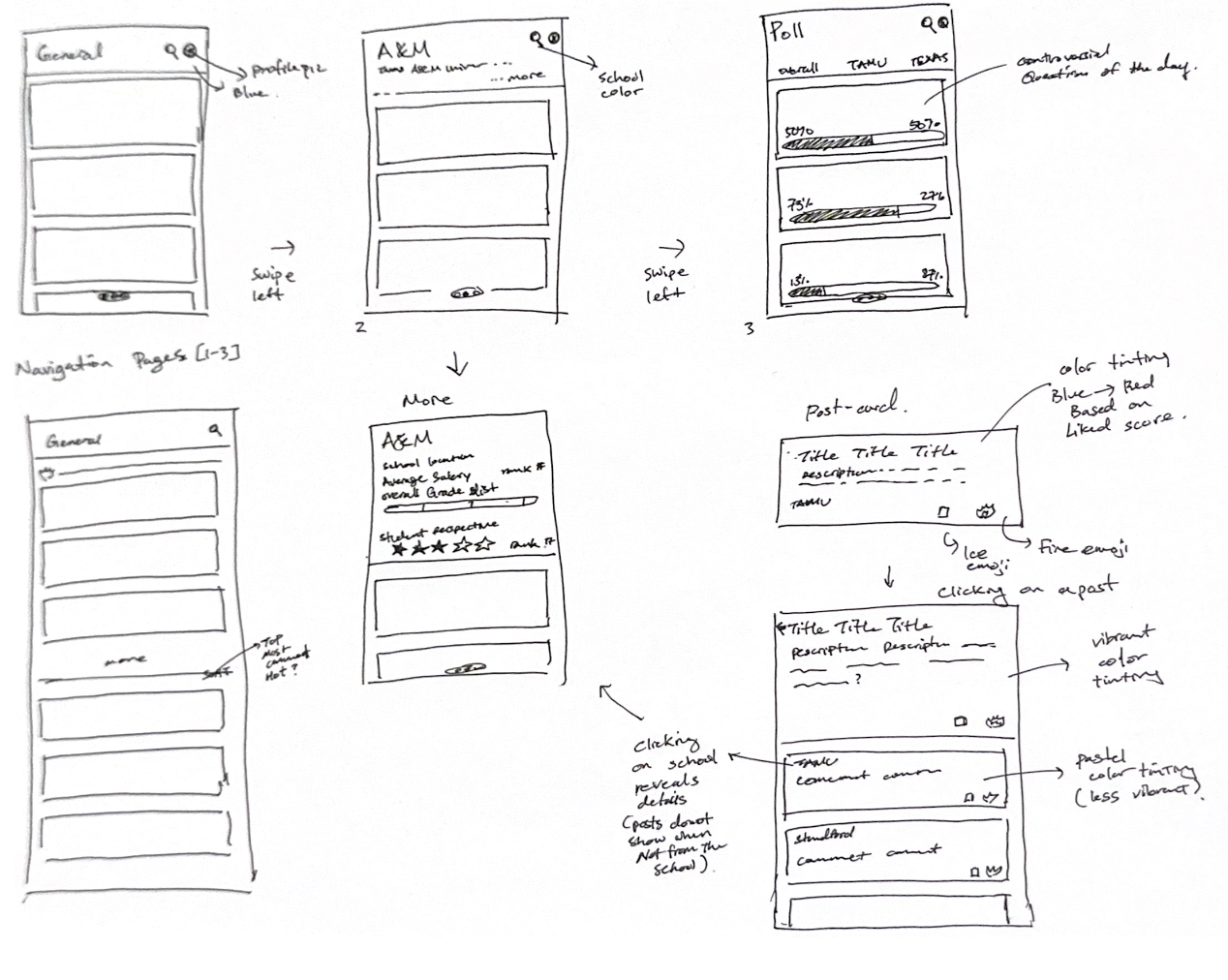
Early Design Concept
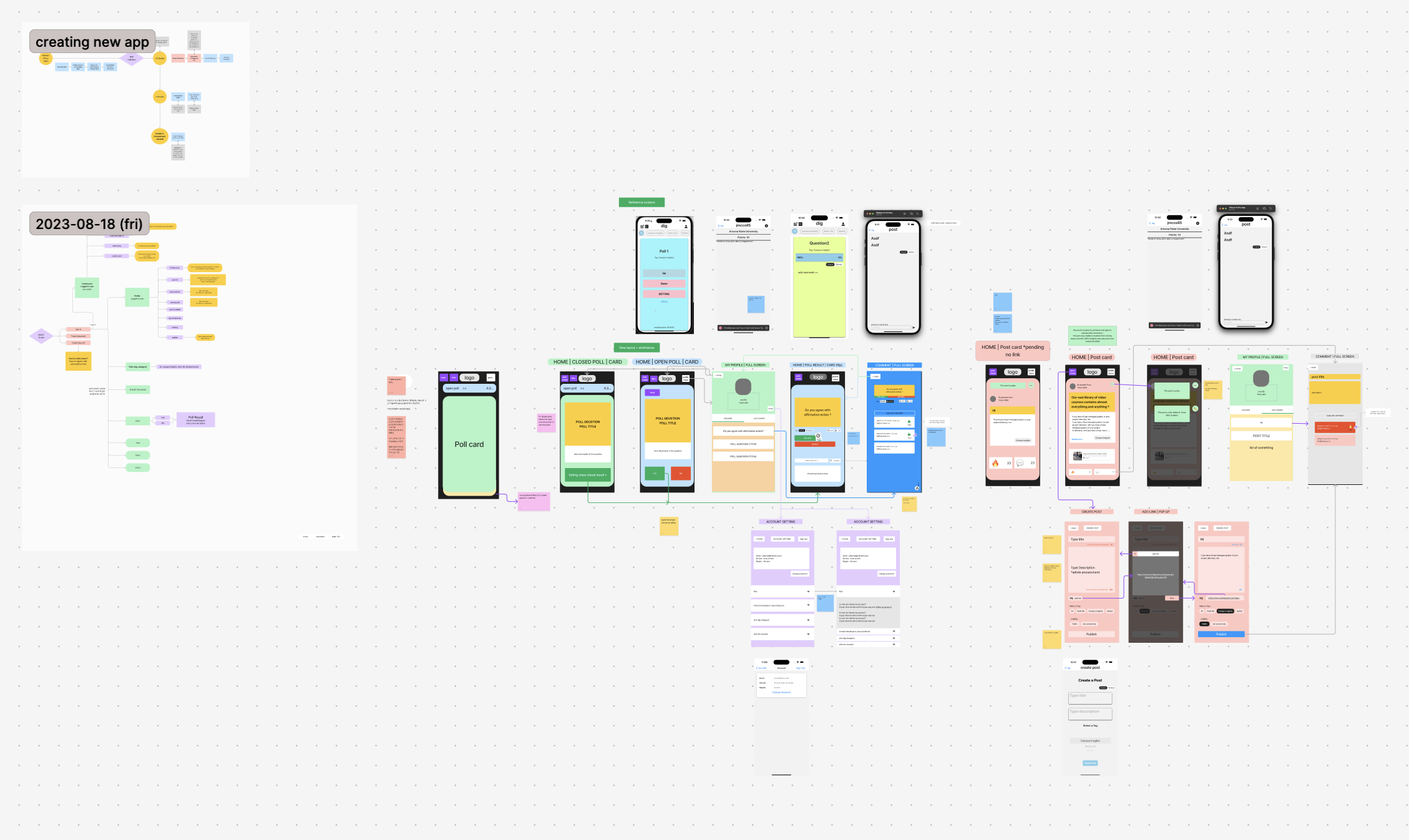
Figma Wireframes
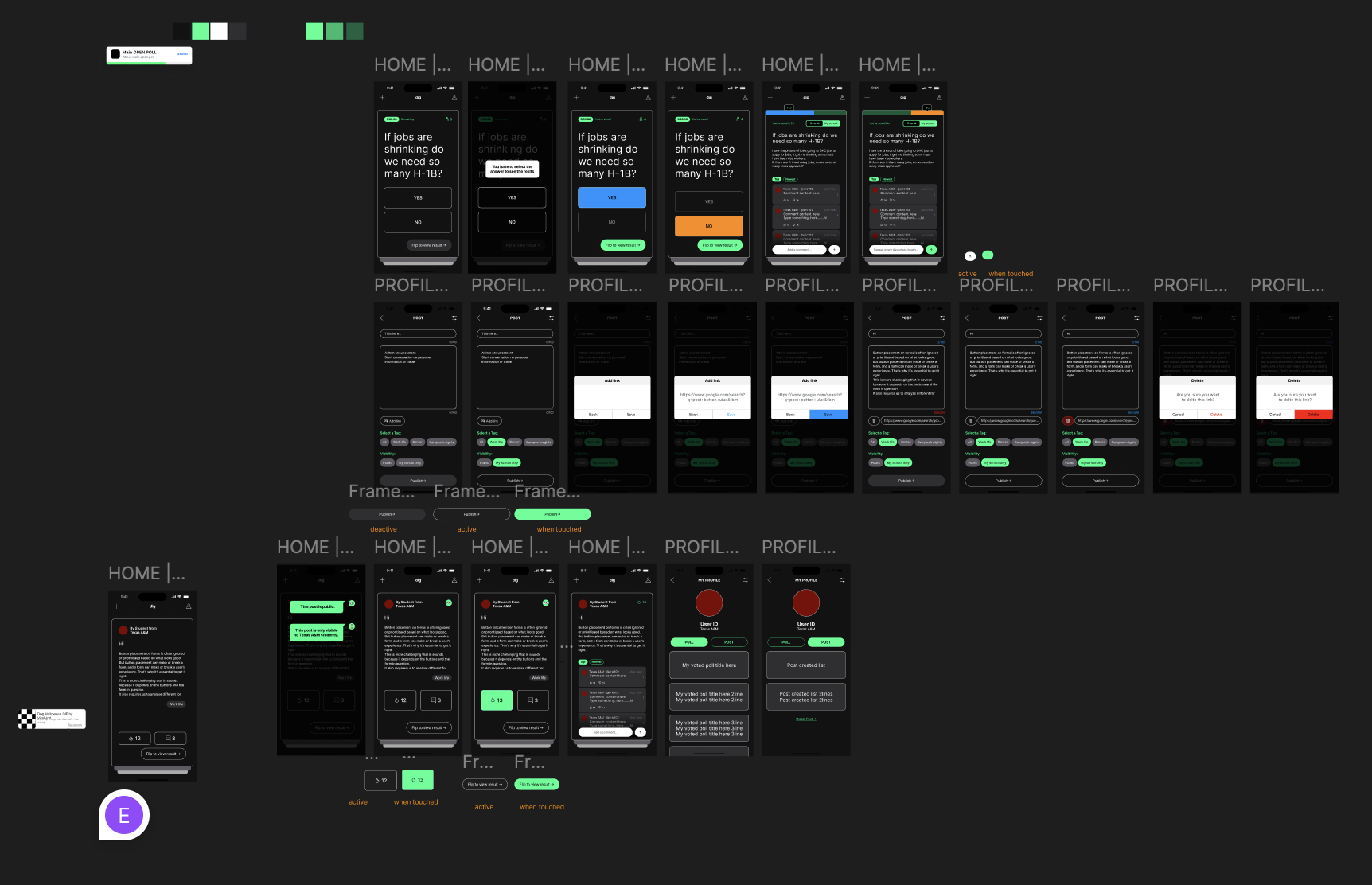
The working app for iOS, Android, and Webapp can be found here: https://github.com/wjdpark/dig
Most social platforms flatten everyone into one huge crowd. Dig does something different. It treats school identity as a meaningful part of the conversation.
That unlocks a few useful experiences:
Dig is not just asking what people think. It is asking where those opinions are coming from.
Dig has the potential to become a real-time opinion layer for universities.
It gives students a fast way to understand what their campus thinks, how that compares with other schools, and which conversations are gaining momentum right now.
Dig is a campus-verified social polling app that helps students discover, compare, and discuss what their school community really thinks.